Network Design with Integrated Firewall Solutions
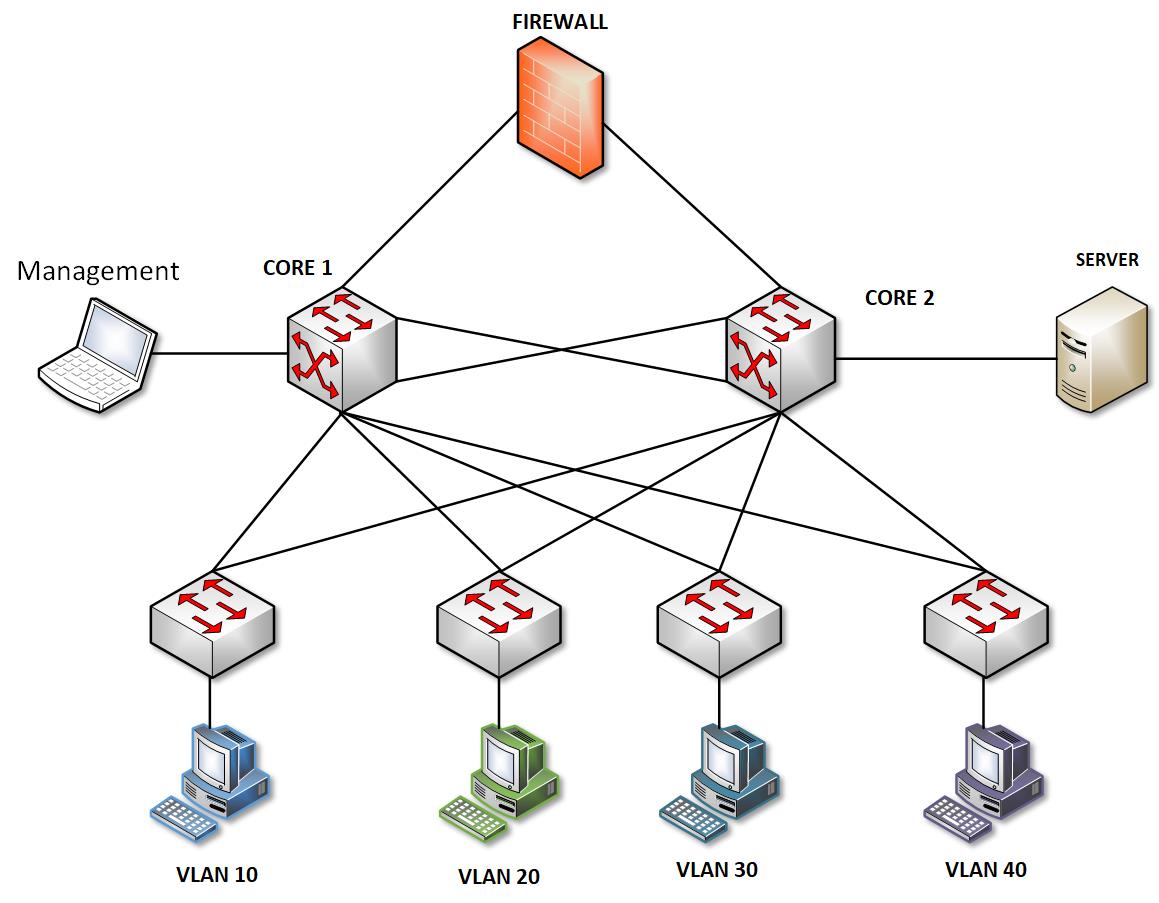
In this lab, I used simple Cisco images that support only Ethernet speed because I needed a light option for building the setup.
Whether you're doing it physically or virtually, the setup is the same. I only used one Fortinet device because of hardware limitations.
The Server that I used here is only a Router and the Vswitch here is a unmanaged switch that replicates a Windows Server.
Lab Connectivity and Addresses
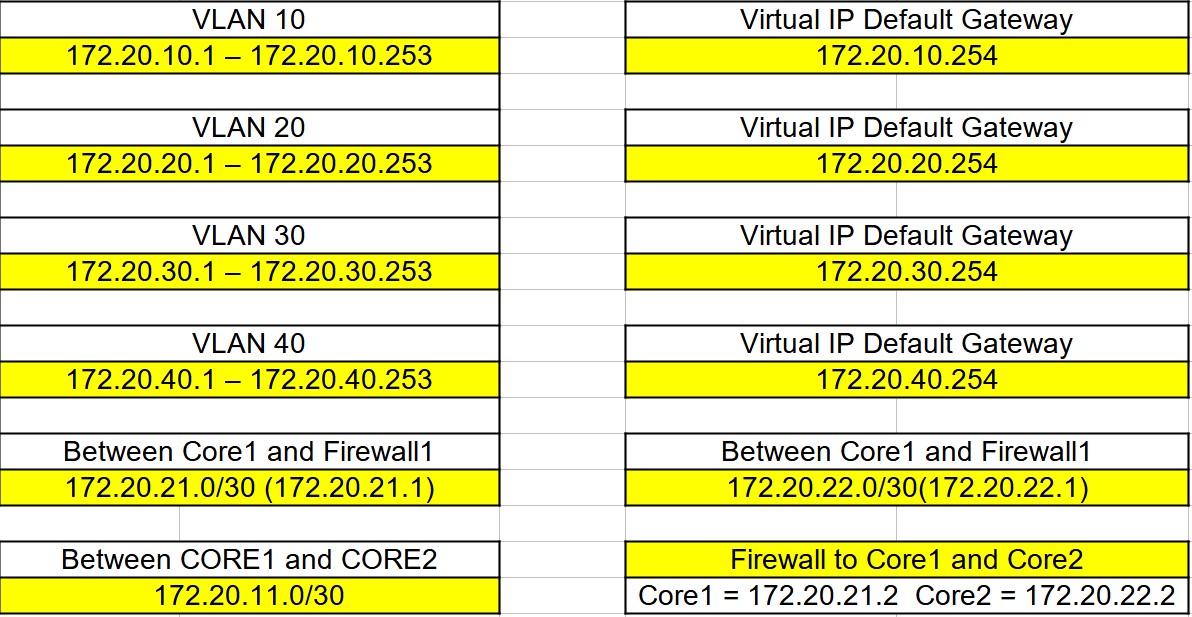
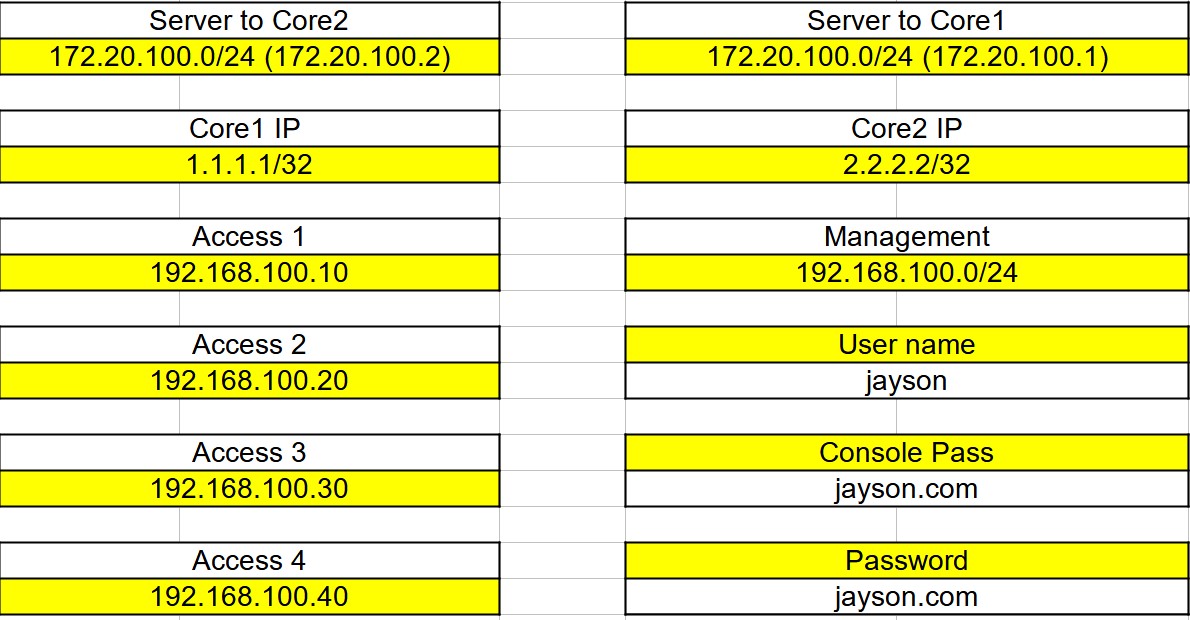
Listed here are the subnets and VLANs for each interface and switch. Each switch has its own VLAN and serves as the default gateway for VLANs 10, 20, 30, and 40. Additionally, there is a dedicated subnet specifically for management purposes.
Redundancy and Load Balance
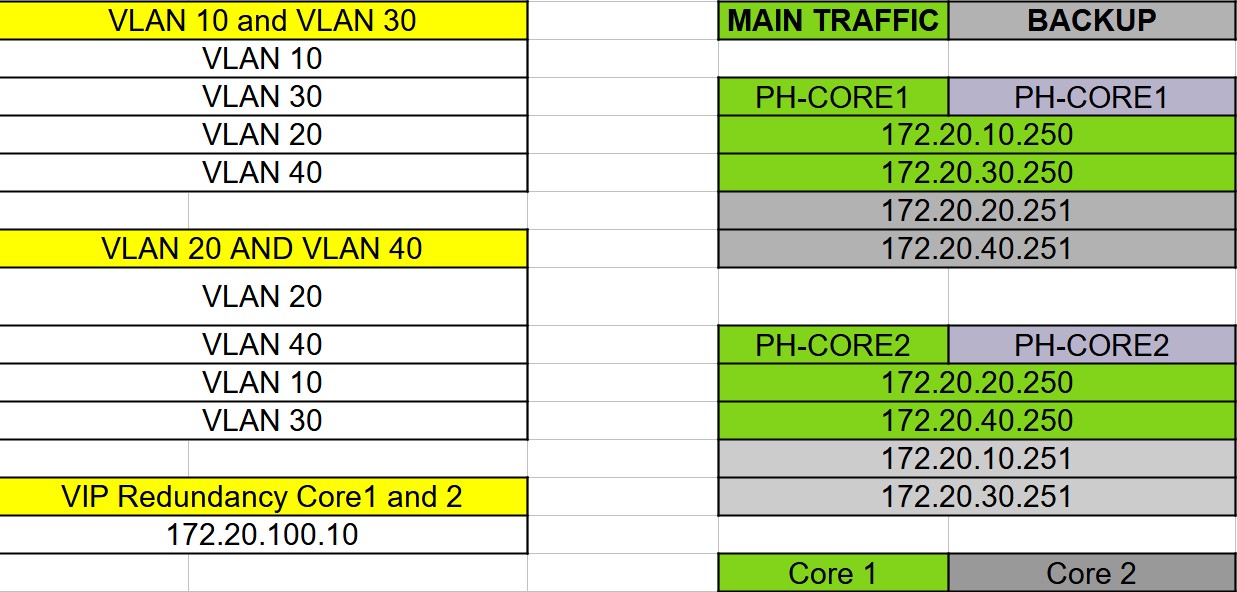
I have configured VLAN 10 and 30 on Core1 and VLAN 20 and 40 on Core2 for load balancing purposes. In the table below, the green cells represent the main traffic for each VLAN, while the gray cells indicate backup traffic in case the main Core switch for the VLAN is down.
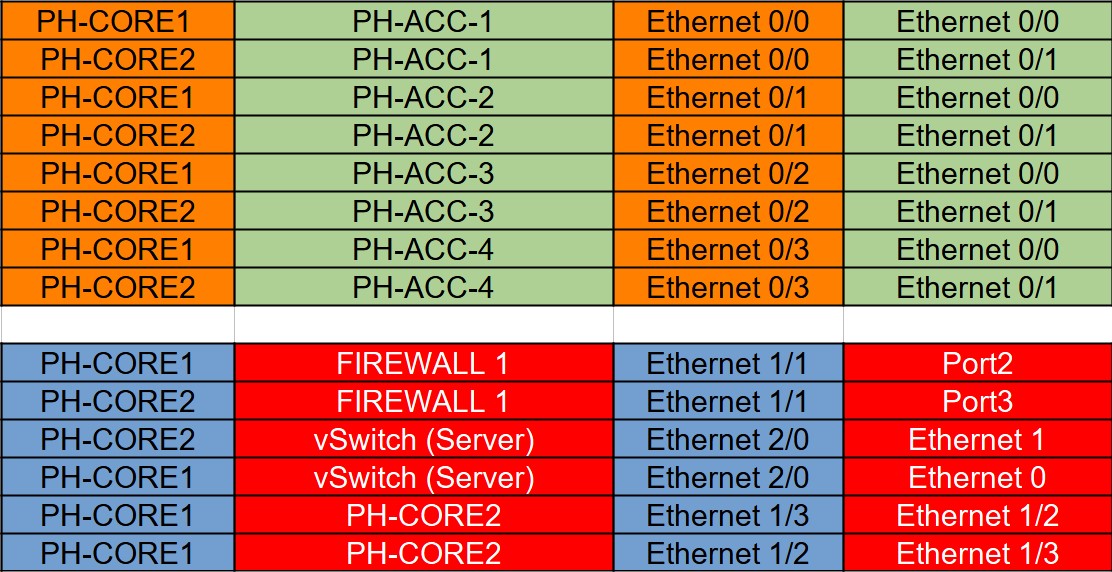
Interface Connection

Firewall Configuration (Fortinet)
Since I don't have any license, the configuration may be limited due to the free Evaluation License provided by Fortinet, which can be reviewed here.
[VM Permanent Evaluation License](https://docs.fortinet.com/document/fortigate/7.4.2/administration-guide/441460)
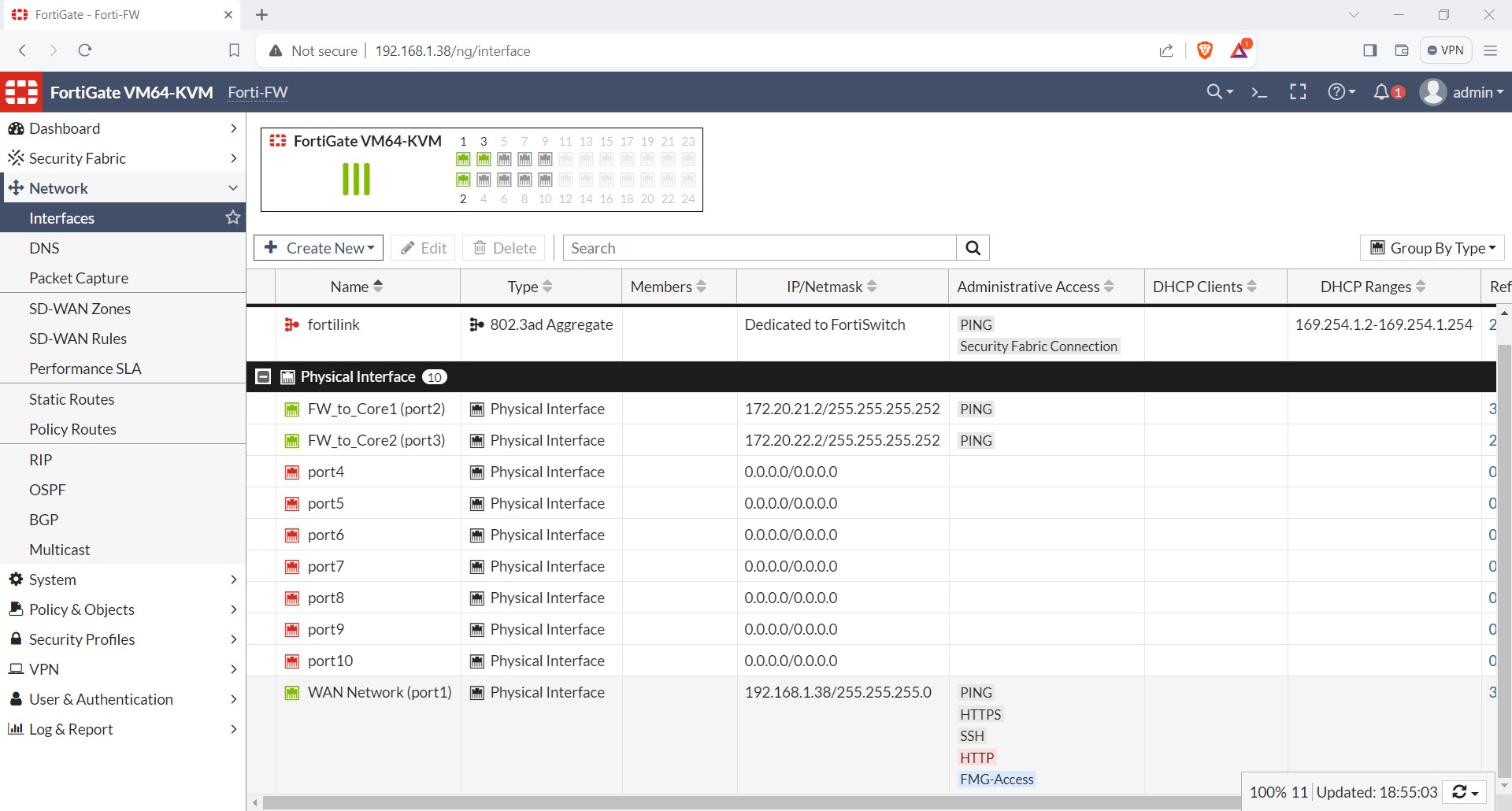
Network Interfaces
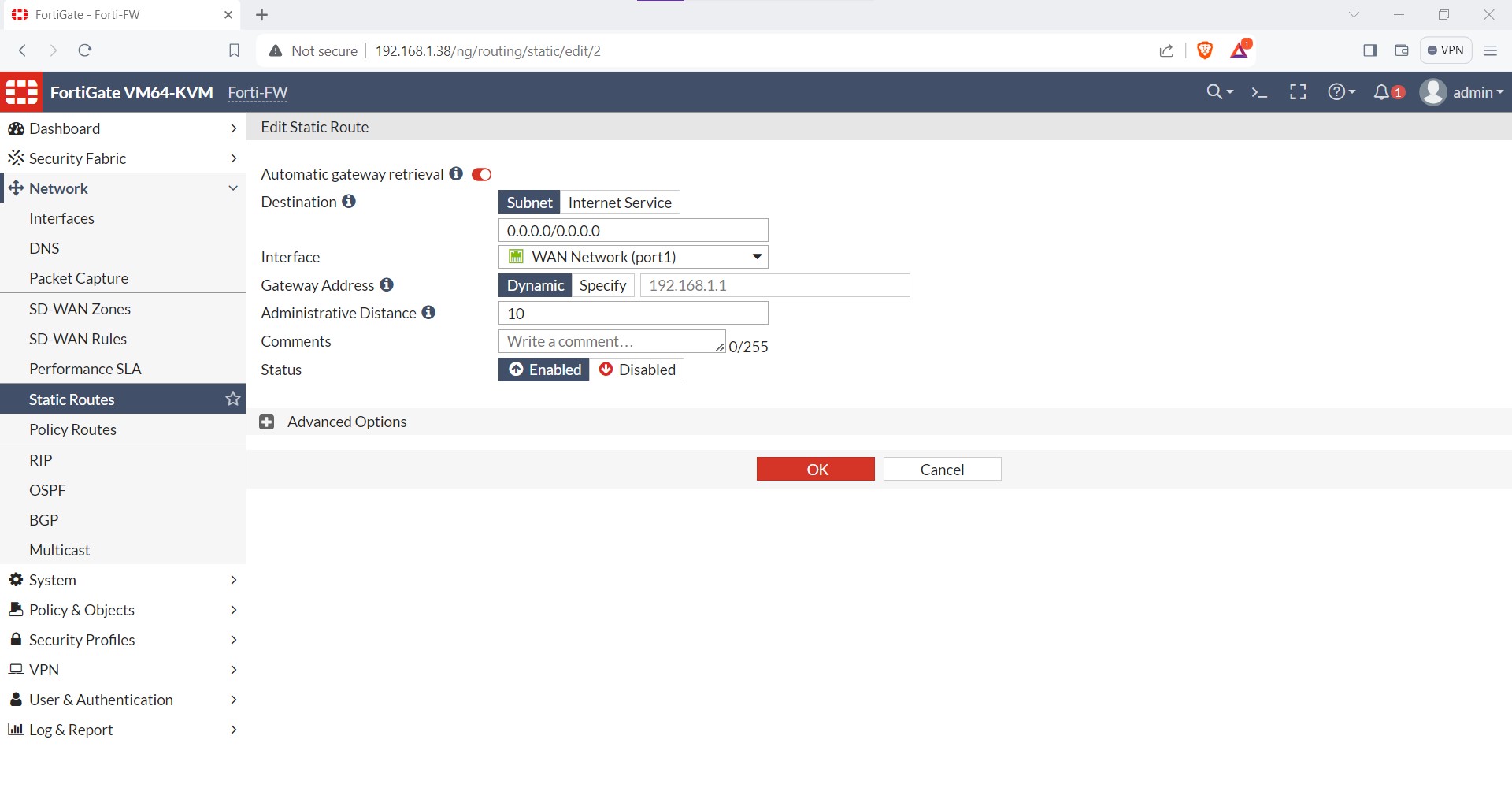
The WAN IP is set to my home network, with the next-hop IP being the default gateway of my router. I am using the WAN IP to configure the Fortinet Firewall.
Static Configuration
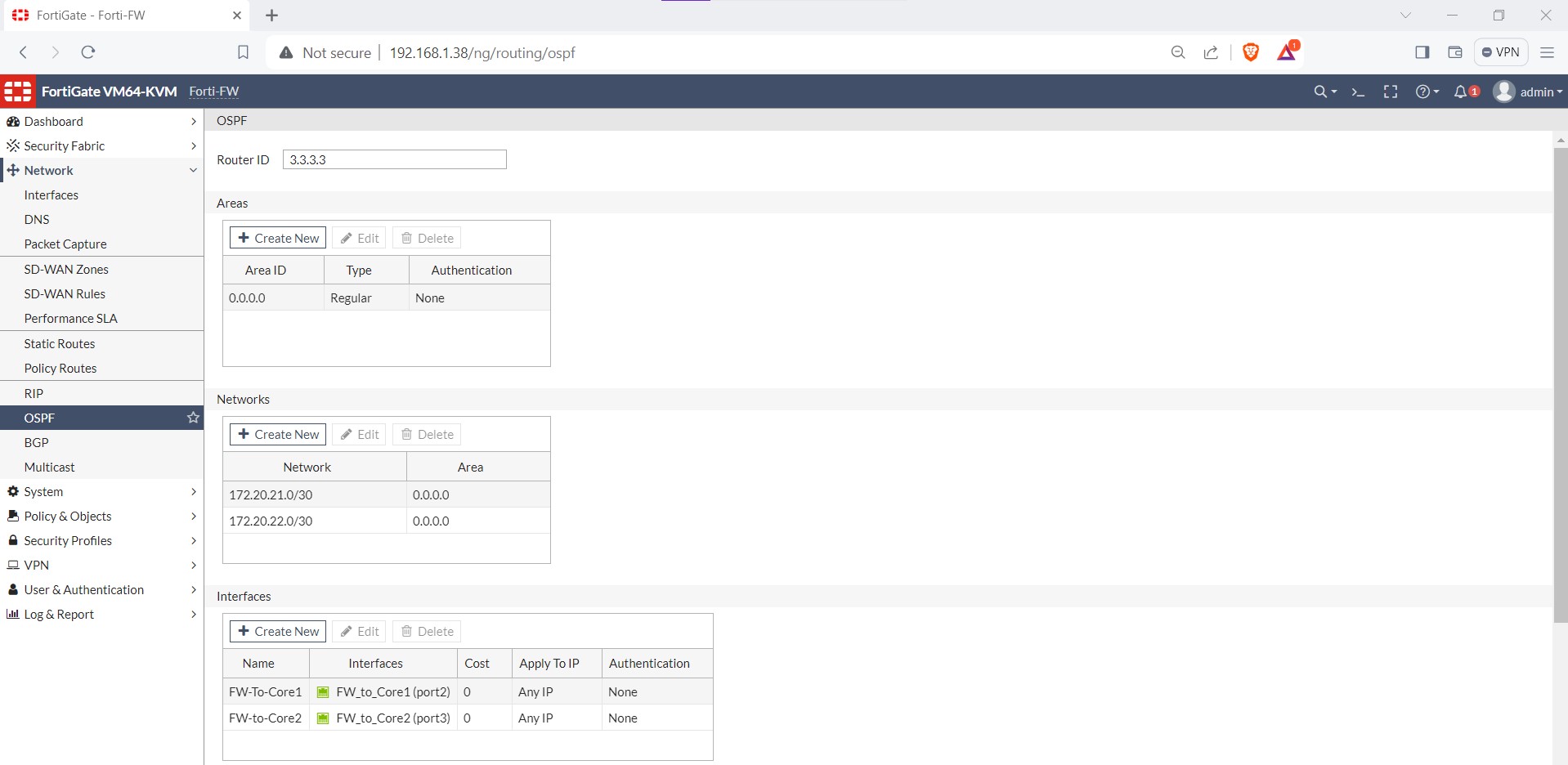
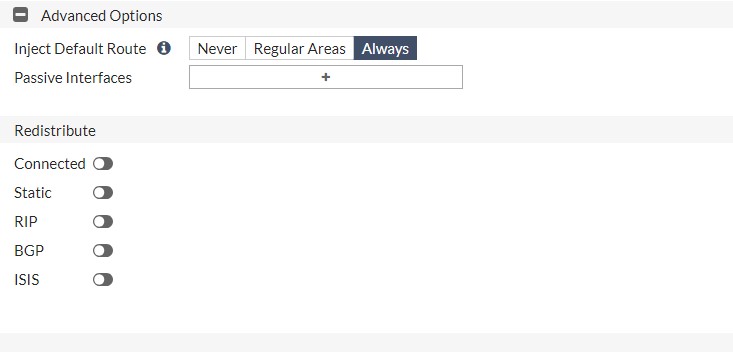
OSPF Configuration (Default Route Injected)
I use OSPF to enable routers to reach the LAN network and inject the default route. This ensures that Core 1 and Core 2 know how to route packets for which they don't have a specific entry in their routing tables.
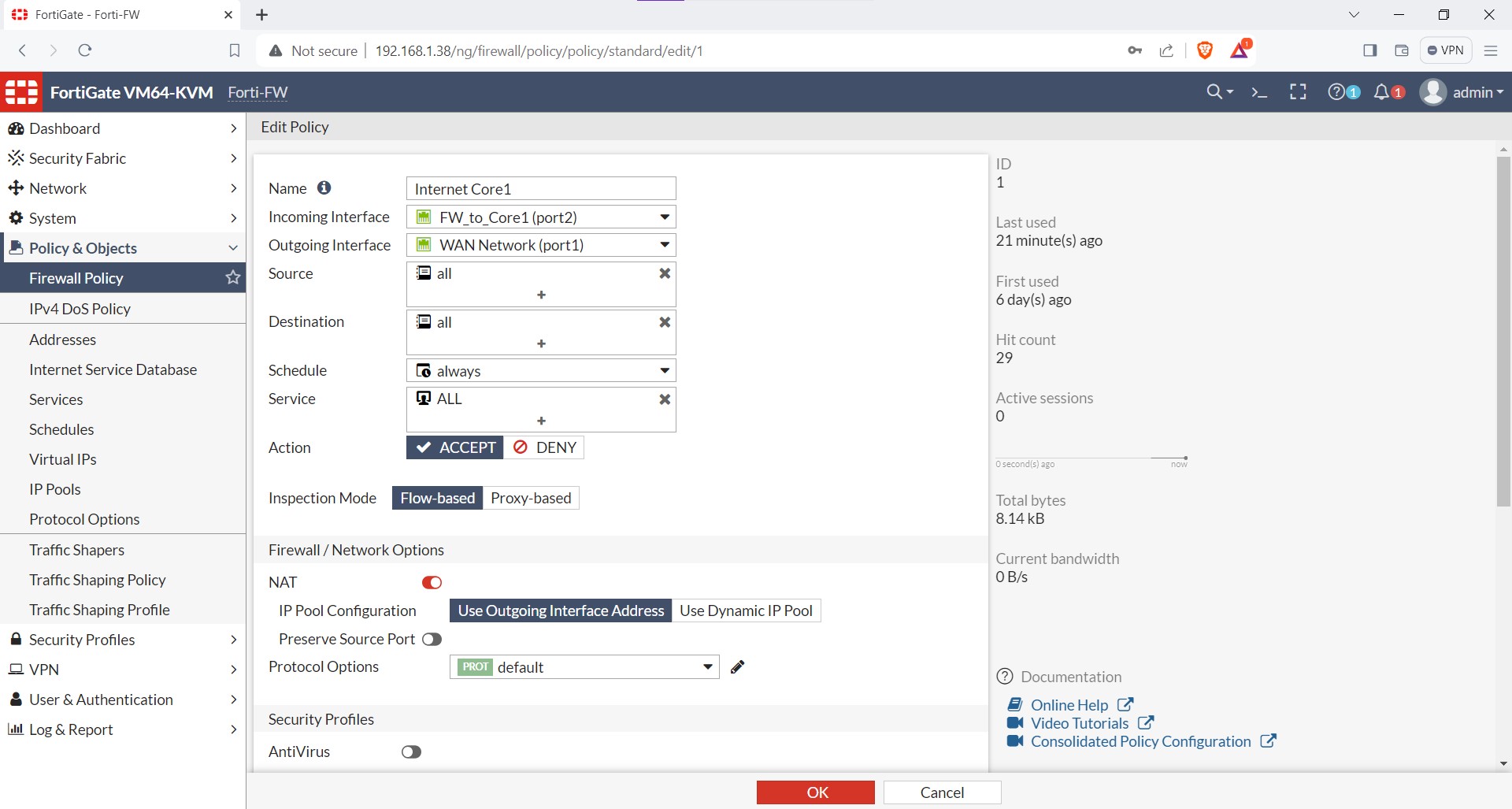
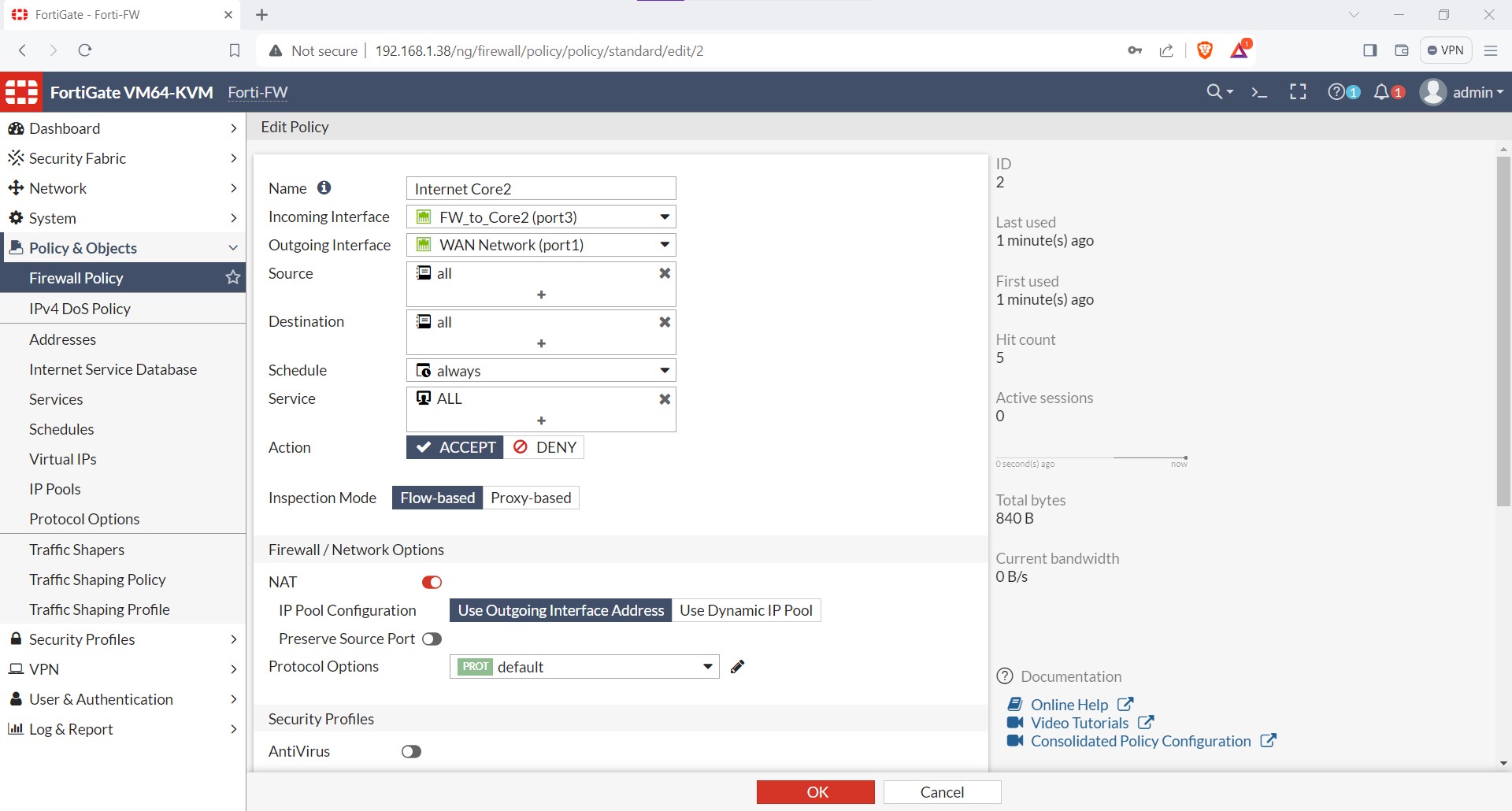
Firewall Policies
I configured two policies for traffic from Core1 and Core2, without utilizing features such as antivirus or web policies.
Configuration of Each Device
I will include the commands, firewall configuration, and the Excel file used for the design in
my GitHub repository.